What Is Motion Detection? Why Security Cameras Miss Events
What Is Motion Detection?
Motion detection is a security camera feature that identifies movement within a monitored area and triggers an action, such as recording video, sending a notification, or activating a spotlight. Most homeowners assume that when motion occurs, the camera will automatically detect it and record the event. In reality, motion detection depends on several factors, including camera placement, lighting conditions, sensitivity settings, network performance, and the type of detection technology being used. Understanding how motion detection works can help reduce false alerts and improve the chances of capturing important events when they occur.
Why Motion Detection Matters
Motion detection is often the first line of awareness in a security camera system. Without effective motion detection, important events may go unrecorded, alerts may arrive too late, storage space can be wasted on unnecessary recordings, and security footage can become difficult to review. For most homeowners, the goal is simple: receive alerts for events that matter and avoid alerts for events that do not.
How Motion Detection Works
Modern security cameras use different methods to detect movement. Some cameras analyze changes within the video image itself. Others use heat sensors or artificial intelligence to identify specific objects. The most common detection technologies include pixel-based detection, PIR detection, and AI detection. Many modern camera systems use a combination of these methods to improve accuracy.
Pixel-Based Detection
Pixel-based motion detection is one of the oldest and most widely used forms of motion detection. The camera continuously compares video frames. When enough pixels change between frames, the system considers the movement significant enough to trigger an event. This can work well for basic monitoring, but it can also trigger on shadows, headlights, tree branches, heavy rain, or insects near the camera lens.
PIR Detection
PIR stands for Passive Infrared. Instead of looking for pixel changes, PIR sensors detect changes in heat. When a warm object such as a person or vehicle moves across the sensor field of view, the camera can trigger recording or notifications. PIR detection is commonly found on battery-powered cameras, wireless cameras, and video doorbells. It can reduce some false alerts, but distance, glass, and weather conditions can affect performance.
Pet-Immune Motion Detection
Many PIR sensors offer a pet-immune setting, designed to ignore smaller heat signatures so a cat or dog walking through the yard doesn't trigger a false alert. Pet-immune sensors typically ignore animals up to a set weight, commonly somewhere between 25 and 85 pounds depending on the sensor, based on both size and mounting height. This is not the same as AI-based pet filtering, which analyzes the video image itself. Pet-immune PIR uses the size and heat signature of the moving object to decide whether to trigger at all.
AI Detection
Artificial Intelligence detection is becoming increasingly common in modern security cameras. Rather than simply detecting movement, AI systems attempt to identify what caused the movement. Common AI detection features include person detection, vehicle detection, animal detection, and package detection. AI can reduce false alerts, but it is not a substitute for proper installation, correct camera angle, and careful detection-zone setup.
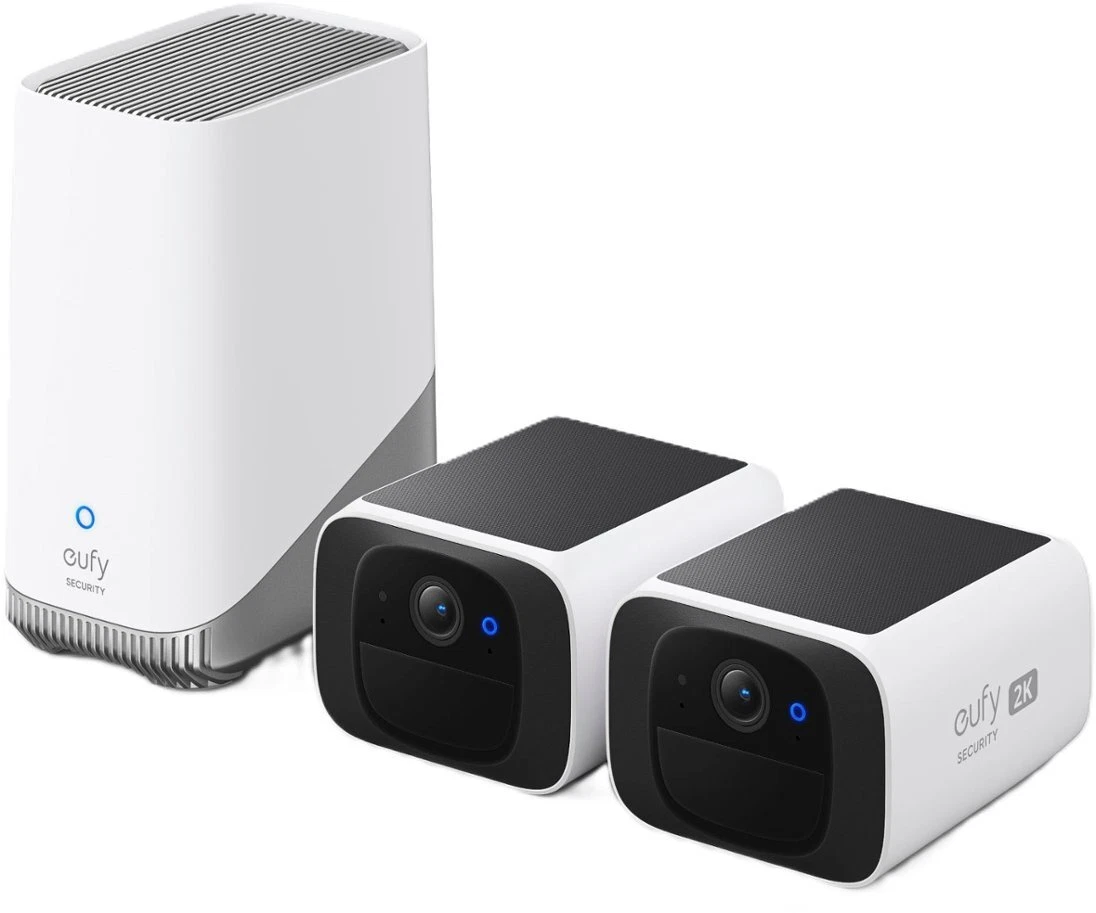 eufy SoloCam S220, TP-Link Tapo C420S2, and SwitchBot Video Doorbell all include person, vehicle, or package detection rather than relying on raw pixel change alone. That distinction matters more than resolution for cutting down false alerts. See the full lineup and how each one handles detection in the camera buyer's guide.
See the picks →
Why Cameras Miss Events
Motion detection failures are not always caused by poor camera quality. In many cases, the camera is working, but the setup limits its effectiveness. Common causes include poor camera placement, sensitivity set too low, weak Wi-Fi signal, poor lighting, incorrect motion zones, and subjects moving too far from the camera. A camera mounted too high or pointed at the wrong area may not capture movement effectively, even if the product itself is capable.
Why Cameras Create False Alerts
False alerts can be just as frustrating as missed events. Over time, excessive notifications often cause homeowners to ignore alerts entirely. Common causes include moving trees, vehicle headlights, shadows, insects, rain, snow, reflective surfaces, and cameras pointed toward public sidewalks or streets. The goal is not to make the camera more sensitive. The goal is to make detection more accurate.
How to Improve Motion Detection
Most motion detection problems can be improved without replacing the camera. Start by using motion zones to focus on doors, gates, driveways, walkways, and other approach paths. Exclude streets, sidewalks, trees, and neighboring properties where possible. Adjust sensitivity gradually. Test real walking paths by physically walking through the monitored area. Keep firmware updated, improve lighting when needed, and make sure the camera is positioned where important movement is likely to occur.
Motion detection is only effective when the entire system is set up correctly. A camera with advanced AI detection can still perform poorly if it is mounted in the wrong location. Likewise, a basic camera can perform surprisingly well when placement, detection zones, signal strength, and sensitivity settings are properly configured. We view motion detection as a system-level feature rather than a single camera specification. Placement, configuration, testing, and real-world usability matter just as much as the technology inside the camera. The goal is not to create more alerts. The goal is to capture the events that matter.
Quick Field Checklist
- Create motion zones around doors, driveways, gates, and walkways.
- Exclude streets, sidewalks, trees, and areas with constant background movement.
- Test detection by walking through the monitored area at normal speed.
- Check night performance separately, since lighting changes detection behavior.
- Use person, vehicle, or package detection when the camera supports it.
- Keep firmware updated and review settings after major app or camera updates.
- If alerts are still unreliable, review camera angle, mounting height, Wi-Fi signal, and storage method.
FAQ
What does pet-immune motion detection mean?
Pet-immune PIR sensors are designed to ignore smaller animals based on their heat signature and size, typically animals up to somewhere between 25 and 85 pounds depending on the sensor and mounting height. It's a hardware-level filter, different from AI-based pet detection that analyzes the video image.
Do all security cameras have motion detection?
Most modern security cameras include some form of motion detection, although the technology and accuracy vary significantly between models.
What causes false motion alerts?
Common causes include moving trees, shadows, insects, rain, snow, vehicle headlights, reflective surfaces, and overly sensitive detection settings.
Is AI detection better than standard motion detection?
AI detection can reduce false alerts by identifying people, vehicles, packages, or animals rather than responding to every movement detected in the image.
Why does my camera miss people walking by?
This can be caused by poor placement, incorrect sensitivity settings, weak lighting, poor Wi-Fi signal, distance from the camera, or improperly configured detection zones.
What is the difference between PIR and motion detection?
PIR detection uses heat changes to detect movement, while standard video motion detection often relies on changes within the camera image itself.
Should motion detection be set to high sensitivity?
Not always. High sensitivity can create too many false alerts. The better approach is to use correct zones, test real walking paths, and adjust sensitivity gradually.