What Is RTSP? Security Camera Streaming Explained
What is RTSP? RTSP (Real Time Streaming Protocol) is the protocol most IP security cameras use to deliver a live video stream over a network. It lets you pull that stream into an NVR, video management software, or a player like VLC, instead of relying only on the camera manufacturer's own app.
At HB Tech Pros, we look at RTSP as a practical streaming feature. A camera may have a clean mobile app, but some users want more control: local recording, NVR integration, desktop viewing, smart home automation, or a dedicated monitoring setup. RTSP can be part of that more flexible system design.
What RTSP Does
RTSP is used to control and deliver real-time media streams over a network. In a camera system, the RTSP stream is often accessed through a stream URL. That stream can be viewed or recorded by compatible software, an NVR, or another video platform depending on the camera and system setup.
Why RTSP Matters for Security Cameras
- It can allow local viewing or recording beyond the manufacturer app.
- It can support third-party NVR or video management software workflows.
- It can help advanced users integrate cameras into smart home or monitoring systems.
- It can provide a direct stream path for live video when the camera supports it.
- It helps technical buyers compare whether a camera is open and flexible or locked into one app ecosystem.
RTSP vs. ONVIF
RTSP and ONVIF are related in IP camera conversations, but they solve different problems. RTSP is about streaming video. ONVIF is about interoperability, discovery, configuration, and control. A system may use ONVIF to discover or configure a camera and RTSP to receive the actual video stream.
| Question | RTSP | ONVIF |
|---|---|---|
| What does it solve? | How to receive the video stream | How devices work together |
| Most common use | Live view and recording stream | Discovery, compatibility, configuration |
| Important for | Advanced viewing, local recording, integrations | NVR compatibility and mixed-brand systems |
| Simple analogy | The video path | The compatibility language |
RTSP vs. RTMP
RTSP and RTMP are both streaming protocols, but they solve different problems and rarely compete for the same job. RTSP is built for local, direct access to a live feed, exactly what a security camera or NVR needs. RTMP is built to push a stream from an encoder up to a server, the kind of setup used for broadcasting to platforms like YouTube, Twitch, or Facebook Live.
| Question | RTSP | RTMP |
|---|---|---|
| What is it built for? | Local, low-latency access to a live camera feed | Pushing a stream from an encoder to a broadcast server |
| Typical latency | Often under 2 seconds on a local network | Several seconds or more, depending on the platform |
| Common use case | Security cameras, NVRs, local monitoring | Live streaming to YouTube, Twitch, Facebook Live |
| Best for security cameras? | Yes, this is the industry standard for CCTV and IP cameras | Not typically used for security camera feeds |
For a home or business security setup, RTSP is almost always the right protocol. RTMP only becomes relevant if you specifically want to broadcast a camera feed to a public streaming platform, which is a different goal than local monitoring or recording.
Main Stream vs. Substream: Understanding Video Bitrates
Many IP cameras provide more than one stream. The main stream usually delivers higher resolution and quality for recording. A substream is usually lower resolution and easier to view on mobile apps, multi-camera displays, or lower-bandwidth connections. Understanding streams helps explain why a camera may look sharper in recorded footage than in a small live preview window.
- Main stream: higher resolution and higher bitrate, usually better for recording.
- Substream: lower resolution and lower bitrate, usually better for previews or remote viewing.
- Multiple streams help reduce network and processor load when many cameras are viewed at once.
What Is the Default RTSP Port Number and URL Format?
The default RTSP port is 554, registered with IANA for both TCP and UDP. Most IP cameras and NVRs use this port out of the box, though some brands and firmware versions default to other ports instead, 8554 is a common alternative, and a few NVR platforms use port 80. Always check your specific camera or recorder's network settings to confirm.
RTSP is an application-layer protocol. It typically uses TCP to send control commands like play, pause, and stop, while the actual video and audio data usually travels separately over UDP via RTP, which helps keep latency low.
A typical RTSP URL follows this general pattern:
A real example might look like this, with your camera's actual IP address, credentials, and stream path in place of the placeholders: rtsp://admin:yourpassword@192.168.1.50:554/h264Preview_01_main
The exact stream path after the IP address and port varies by manufacturer, some use simple paths, others require a channel number or stream type in the URL. Check your camera or NVR's documentation for the exact format, since guessing the wrong path is one of the most common reasons an RTSP connection fails even when the camera itself supports it.
When RTSP Is Useful
- When recording locally to compatible NVR or software.
- When viewing camera footage in a desktop video player or monitoring station.
- When integrating cameras into advanced smart home systems.
- When building a local-first camera setup that does not depend only on cloud access.
- When comparing whether a camera is flexible enough for future technical upgrades.
Common RTSP Mistakes
- Buying a camera and assuming RTSP is supported without checking the specifications.
- Using weak passwords or exposing camera streams to the internet without proper network security.
- Using the high-resolution stream for every preview and overloading the network.
- Confusing RTSP streaming with ONVIF compatibility.
- Expecting RTSP to provide every camera control feature by itself.
Is RTSP Secure?
RTSP can be useful, but camera streams should be protected. Avoid exposing camera streams directly to the public internet. Use strong passwords, keep firmware updated, segment networks when possible, and follow the camera manufacturer’s security guidance. A flexible camera system should also be a secure camera system.
For basic users, RTSP may not be required. For advanced users, local recording, smart home integrations, and more flexible system design, RTSP can be very valuable. We consider RTSP support a positive feature when evaluating IP cameras, especially when the buyer wants more than a simple app-only setup.
FAQ
What port does RTSP use?
RTSP uses port 554 by default, registered with IANA for both TCP and UDP. Some cameras and NVRs use a different default, such as 8554 or 80, so it's worth checking your device's network settings if the standard port doesn't work.
What is the difference between RTSP and RTMP?
RTSP is built for local, low-latency access to a live camera feed, which is why it's the standard for security cameras and NVRs. RTMP is built to push a stream up to a broadcast server, the kind of setup used for platforms like YouTube or Twitch. For a security camera system, RTSP is almost always the right protocol.
Do all security cameras support RTSP?
No. Some cameras support RTSP, while others are designed mainly for their own app or cloud ecosystem. Always check the camera specifications before buying.
Is RTSP the same as ONVIF?
No. RTSP is used for video streaming. ONVIF is used for device interoperability, discovery, configuration, and control.
Can RTSP work without internet?
In many local network setups, an RTSP stream can work without internet if the viewing or recording device is on the same local network. Internet may still be needed for remote viewing depending on the setup.
Is RTSP safe to use?
RTSP can be used safely when properly secured. Avoid exposing streams directly to the public internet, use strong passwords, and keep camera firmware updated.
Why do some users want RTSP cameras?
Users often want RTSP cameras for local recording, third-party software, advanced monitoring, smart home integration, or more control beyond the manufacturer’s app.
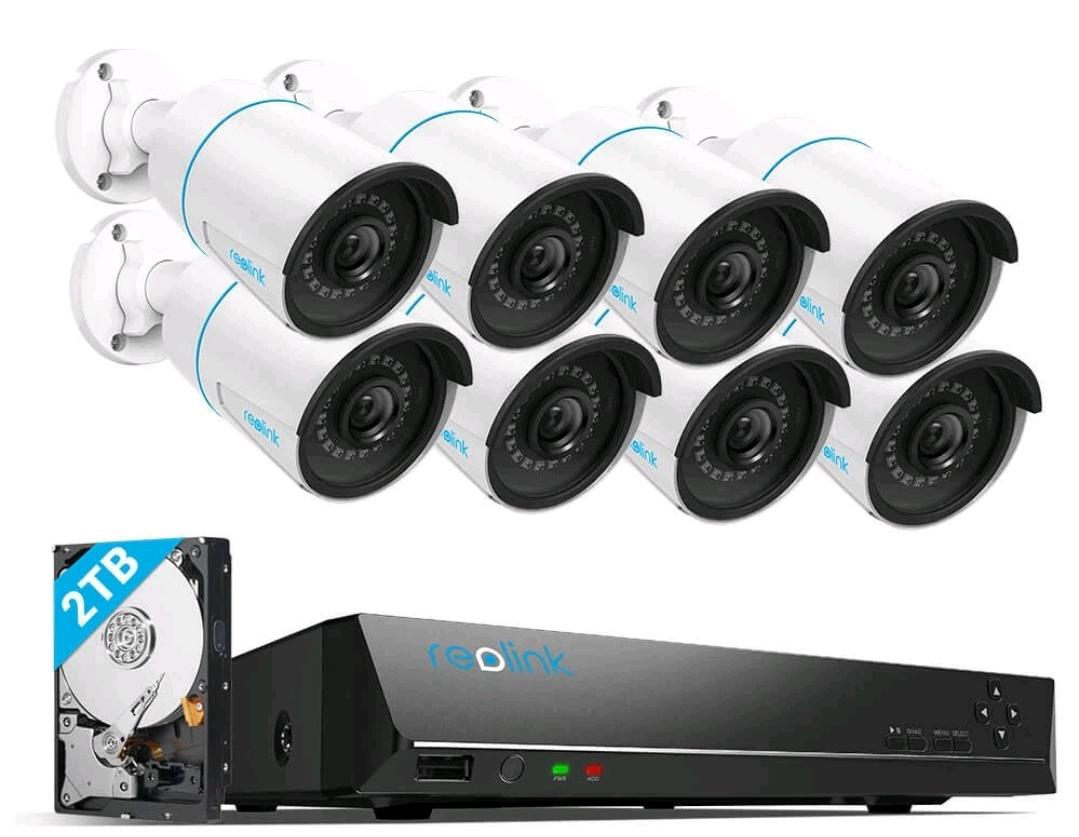 Reolink DIY PoE System