What Is an NVR? Network Video Recorder Explained
An NVR is a Network Video Recorder. In a security camera system, the NVR receives video from IP cameras and stores that footage on a hard drive. It is the recording center of many wired and PoE camera systems.
At HB Tech Pros, we see the NVR as one of the most important parts of a serious camera system. A camera may have great image quality, but if the recording method is weak, the system can fail exactly when evidence is needed.
What an NVR Does
- Receives video streams from IP cameras over the network.
- Stores video on local hard drives.
- Provides playback so footage can be reviewed later.
- Allows local or remote viewing through a monitor, browser, or mobile app depending on the system.
- Manages recording schedules, motion detection settings, user access, and storage options.
NVR vs. DVR
The easiest way to understand the difference is the type of camera system each recorder supports. An NVR works with IP cameras over a network. A DVR traditionally works with analog cameras over coaxial cable.
| Feature | NVR | DVR |
|---|---|---|
| Camera type | IP cameras | Analog cameras |
| Cable type | Ethernet / network cable | Coaxial cable |
| Video processing | Usually processed by the camera and sent digitally | Usually processed by the recorder |
| Common modern use | PoE and IP camera systems | Legacy analog camera systems |
| Scalability | Often easier to expand on a network | Can be limited by recorder input channels |
NVR vs. Cloud Recording
Cloud recording stores video on a remote server operated by a service provider. NVR recording stores footage locally on a recorder. Both approaches can work, but they serve different needs.
- NVR recording is strong when continuous local footage is important.
- Cloud recording is convenient when easy mobile access matters more than local storage control.
- NVR systems may avoid monthly cloud storage fees, depending on the camera brand and setup.
- Cloud systems depend more on internet availability for remote storage and access.
- A strong system can use both local recording and cloud backup if the budget allows.
How Much Storage Does an NVR Need?
NVR storage depends on number of cameras, resolution, video compression, frame rate, recording mode, and how many days of retention are required. Higher resolution and higher frame rate use more storage. Continuous recording uses more storage than motion-only recording.
As a rough real-world estimate: continuous 1080p recording uses approximately 1TB per camera per month, and continuous 4K recording uses roughly 2TB per camera per month. Motion-only recording typically cuts that by 60 to 80 percent, since nothing is written while the scene is empty. Treat these as a starting point, not an exact number, actual usage varies with how much activity the camera sees, frame rate, and compression settings.
Do NVRs Need Special Hard Drives?
Yes, ideally. NVRs run their hard drives continuously, writing video around the clock in a way a typical desktop or laptop drive isn't built for. Surveillance-rated drives, like WD Purple or Seagate SkyHawk, are designed and rated specifically for that kind of 24/7 read and write workload. A regular desktop drive can technically work, but it's more likely to wear out faster or fail under continuous recording than a drive actually built for the job.
When an NVR Makes Sense
- A homeowner wants 24/7 recording instead of short motion clips.
- A small business needs reliable local footage.
- A property has multiple cameras around the building.
- The system uses PoE cameras and Ethernet cabling.
- The owner wants less dependence on monthly cloud storage subscriptions.
Common NVR Mistakes
- Buying an NVR with too few channels and no room for future cameras.
- Ignoring hard drive size until footage is overwritten too quickly.
- Mixing camera brands without checking compatibility.
- Assuming motion recording will capture everything without tuning detection zones.
- Placing the NVR somewhere with poor ventilation or poor physical protection.
For serious security coverage, we prefer an NVR-based system when the property needs continuous recording, multiple cameras, and reliable local storage. Cloud cameras are convenient, but local recording gives more control. The best choice depends on the property, the risk level, and the owner’s tolerance for subscriptions and setup complexity.
FAQ
How many terabytes do I need for an NVR?
As a rough starting point, continuous 1080p recording uses about 1TB per camera per month, and continuous 4K uses about 2TB per camera per month. Motion-only recording typically cuts that by 60 to 80 percent.
Can I use a regular hard drive in an NVR?
Technically yes, but it's not recommended. NVRs write video continuously, and surveillance-rated drives like WD Purple or Seagate SkyHawk are built specifically for that 24/7 workload. A regular desktop drive is more likely to fail under continuous recording.
Do I need an NVR for security cameras?
Not always. Some cameras record to a microSD card, cloud service, or app. An NVR is useful when continuous local recording, multiple cameras, and easier playback are important.
Can an NVR work without internet?
An NVR can often record locally without internet if the cameras and recorder are on the same network. Internet is usually needed for remote viewing, app access, updates, and notifications.
Is an NVR better than cloud storage?
An NVR is better when local control and continuous recording matter. Cloud storage can be easier for simple setups, but may depend on subscription fees and internet availability.
How many cameras can an NVR support?
The number depends on the NVR channel count and system capacity. Common systems support 4, 8, 16, or more cameras.
What is the difference between PoE NVR and regular NVR?
A PoE NVR includes PoE ports that can power compatible cameras directly. A regular NVR may require a separate PoE switch or separate camera power source.
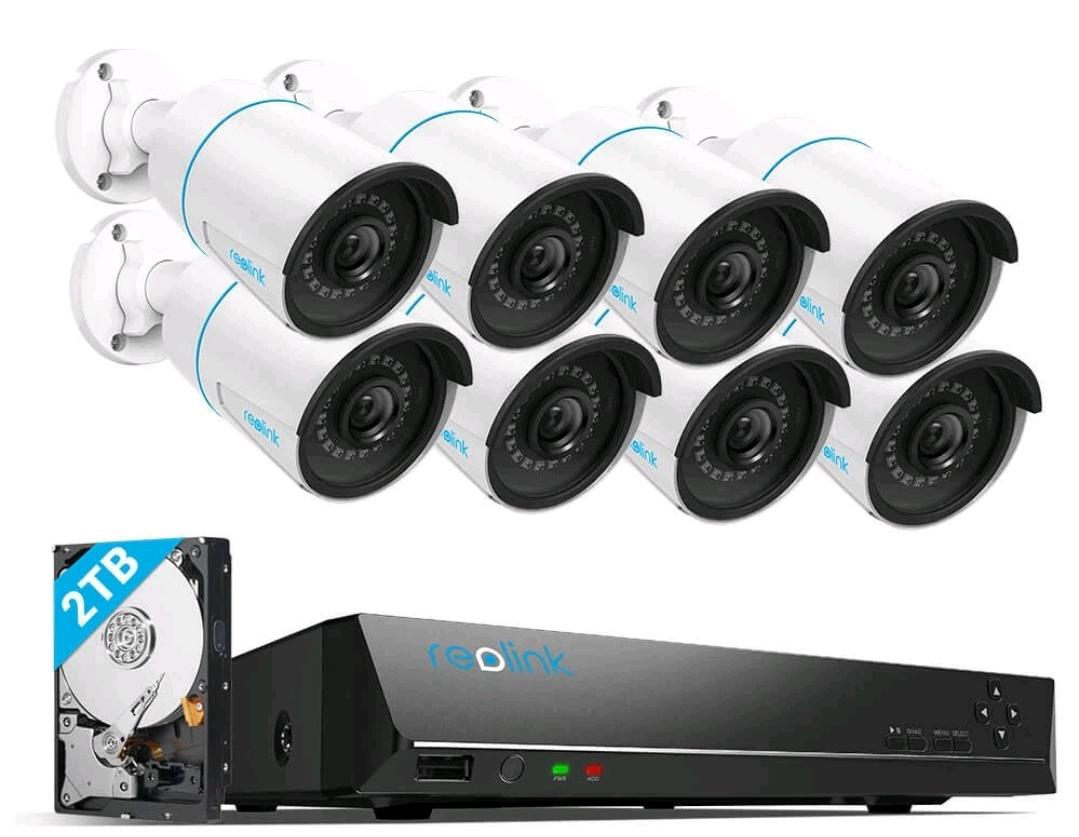 Reolink DIY PoE System