Why Security Cameras Miss Motion Events (And How to Fix It)
One of the most frustrating security camera problems is simple: the camera records normal activity, but misses the event that actually matters. A person walks near the driveway, a package is delivered, or a vehicle passes through the monitored area, but the camera does not send an alert or does not save the clip.
Many people immediately think the camera is defective. Sometimes that can happen, but in many cases the real cause is camera placement, motion sensitivity, activity zones, lighting, Wi-Fi signal, recording settings, or AI detection configuration. A good camera still needs a good setup.
How Motion Detection Works
Most security cameras use motion detection to decide when to record video or send alerts. Basic motion detection looks for changes in the image. When enough pixels change between video frames, the camera assumes movement happened.
The challenge is that basic motion detection does not always understand what moved. A person, vehicle, animal, tree branch, shadow, rain, snow, insect, or headlight can all create motion changes in the image.
That is why one camera can send too many false alerts while another camera misses real events. This is also why AI detection can help when configured correctly, because it tries to identify what caused the movement.
Common Reason #1: The Camera Is Mounted Too High
Many cameras are installed high on a wall, under a roof line, or near the top of a garage. This can protect the camera, but it can also reduce detection performance.
When the camera is too high, a person may appear small in the image. The camera may see the top of the head or shoulders instead of a clear body shape. AI detection may also struggle because the subject does not look like the training examples the camera expects.
Better setup: mount the camera high enough to reduce tampering, but not so high that people and vehicles become tiny in the image. Focus on the real approach path, such as a walkway, gate, porch, driveway, or door.
Common Reason #2: The Camera Angle Is Wrong
Camera angle matters. A camera usually detects side-to-side movement better than movement coming directly toward the lens.
If a person walks straight toward the camera, the image changes slowly. If a person walks across the frame, the image changes more clearly. This makes detection easier.
Better setup: aim the camera so people and vehicles move across the field of view when possible. Avoid trying to cover too much area with one camera.
Common Reason #3: Motion Sensitivity Is Too Low
Motion sensitivity controls how much movement is needed before the camera records or sends an alert. If the sensitivity is too low, the camera may ignore small or distant movement.
This can cause missed events such as a person walking at the edge of the scene, a vehicle moving slowly, or a package being placed quickly near the door.
Better setup: increase sensitivity one step at a time, then test the camera. Do not increase everything at once. Test during the day and again at night.
Common Reason #4: Motion Sensitivity Is Too High
Sensitivity that is too high creates the opposite problem: too many alerts. Moving trees, shadows, rain, snow, insects, pets, and car headlights can trigger recordings.
After too many false alerts, many users stop checking notifications. This makes the security system less useful even if the camera is technically working.
Better setup: lower the sensitivity slightly, use activity zones, and enable person or vehicle alerts when available through AI detection.
Common Reason #5: Activity Zones Are Not Set Correctly
Activity zones tell the camera which areas matter. Without activity zones, the camera may monitor the whole image, including roads, sidewalks, trees, neighbor property, or other busy background areas.
Bad zones can also cause missed events. If the important walkway or driveway is outside the active zone, the camera may ignore movement in that area.
Better setup: draw zones around the real area you care about. Keep roads, sidewalks, trees, and reflective surfaces outside the active zone when possible.
Common Reason #6: Poor Lighting at Night
Many missed motion events happen at night. A camera may work well during the day but struggle after sunset.
Poor lighting, glare, infrared reflection, bright headlights, and strong shadows can all reduce detection reliability. For a deeper explanation of night image quality, read What Is Color Night Vision?
Better setup: test the camera at night, not only during the day. Add lighting if needed, avoid reflective surfaces, and make sure the lens is clean.
Common Reason #7: AI Detection Is Not Enabled or Is Configured Wrong
Modern cameras may support person detection, vehicle detection, animal detection, or package detection through AI detection. These features can reduce false alerts, but they must be enabled and configured correctly.
If AI detection is disabled, the camera may only use general motion detection. If AI detection zones are too narrow, the camera may miss people or vehicles. If the camera is too far away, AI classification may fail.
Better setup: enable person or vehicle alerts when available, check whether smart alerts require a subscription, and test the real walking or driving path. Cameras with a dedicated hub, like the TP-Link Tapo C420S2, tend to process person and vehicle detection more reliably than a camera relying on cloud processing alone.
Common Reason #8: The Subject Is Too Far Away
Every camera has limits. If a person or vehicle appears too small in the frame, the camera may not detect the event reliably.
A camera pointed at a large yard, whole street, or long driveway may provide a wide view, but it may not capture enough detail for reliable detection.
Better setup: use one camera for overview and another camera for important entry points. For security, detail is usually more useful than a wide but weak image.
Common Reason #9: Wi-Fi or Network Problems
Wireless cameras depend on a stable network. Weak Wi-Fi can cause delayed alerts, missed notifications, incomplete clips, or slow live view.
This may look like a motion detection problem, but the real issue may be communication between the camera, app, router, recorder, or cloud service. If reliability is critical, PoE cameras can be a stronger option because power and network data use Ethernet. A system like the Reolink DIY 5MP PoE System removes the Wi-Fi variable entirely for locations where a missed event isn't acceptable.
Better setup: check Wi-Fi signal, move the router or camera if needed, update firmware, and consider wired PoE cameras for important locations.
Common Reason #10: Recording Settings Are Wrong
Some cameras only record motion events. Some record only when AI detects a person or vehicle. Some record on a schedule. If the schedule or recording mode is wrong, the camera may not save important footage. For local recording setups, read What Is an NVR?
Better setup: check recording mode, detection schedule, storage settings, cloud plan, SD card health, NVR storage, and retention settings. Do not assume alerts and recordings are the same thing. A camera can alert without saving a useful clip, or record without sending a notification.
Quick Troubleshooting Table
| Problem You See | What to Check First |
|---|---|
| Camera misses people | Camera height, angle, sensitivity, AI person detection, and subject distance. |
| Too many false alerts | Activity zones, sensitivity, trees, shadows, roads, insects, and headlights. |
| Night alerts are unreliable | Lighting, infrared glare, lens cleanliness, camera angle, and night vision mode. |
| Vehicle alerts do not work | Vehicle detection setting, driveway zone, camera distance, and angle. |
| Package detection fails | Porch view, package location, door frame blockage, and camera mounting angle. |
| Alerts are late or missing | Wi-Fi signal, notification permissions, app settings, firmware, and cloud processing. |
| Recording is missing | Recording schedule, event settings, storage health, cloud plan, SD card, or NVR settings. |
Field Checklist Before Replacing the Camera
- Clean the camera lens and remove spider webs, dust, water spots, or debris.
- Check that motion detection and notifications are enabled.
- Test the camera during the day and at night.
- Walk through the real approach path and confirm whether alerts arrive.
- Adjust motion sensitivity one step at a time.
- Use activity zones to remove roads, sidewalks, trees, and reflective areas.
- Enable person detection or vehicle detection if available.
- Check whether smart alerts require a subscription.
- Verify recording schedules and storage settings.
- Update camera firmware and the mobile app.
- Check Wi-Fi signal or use wired PoE for critical areas.
- Confirm that the recording shows useful detail, not just a wide view.
Cameras and Features to Consider
If your current camera still misses important events after setup changes, the fix is sometimes the camera itself rather than the settings. Two features matter most: reliable person/vehicle detection and a stable connection.
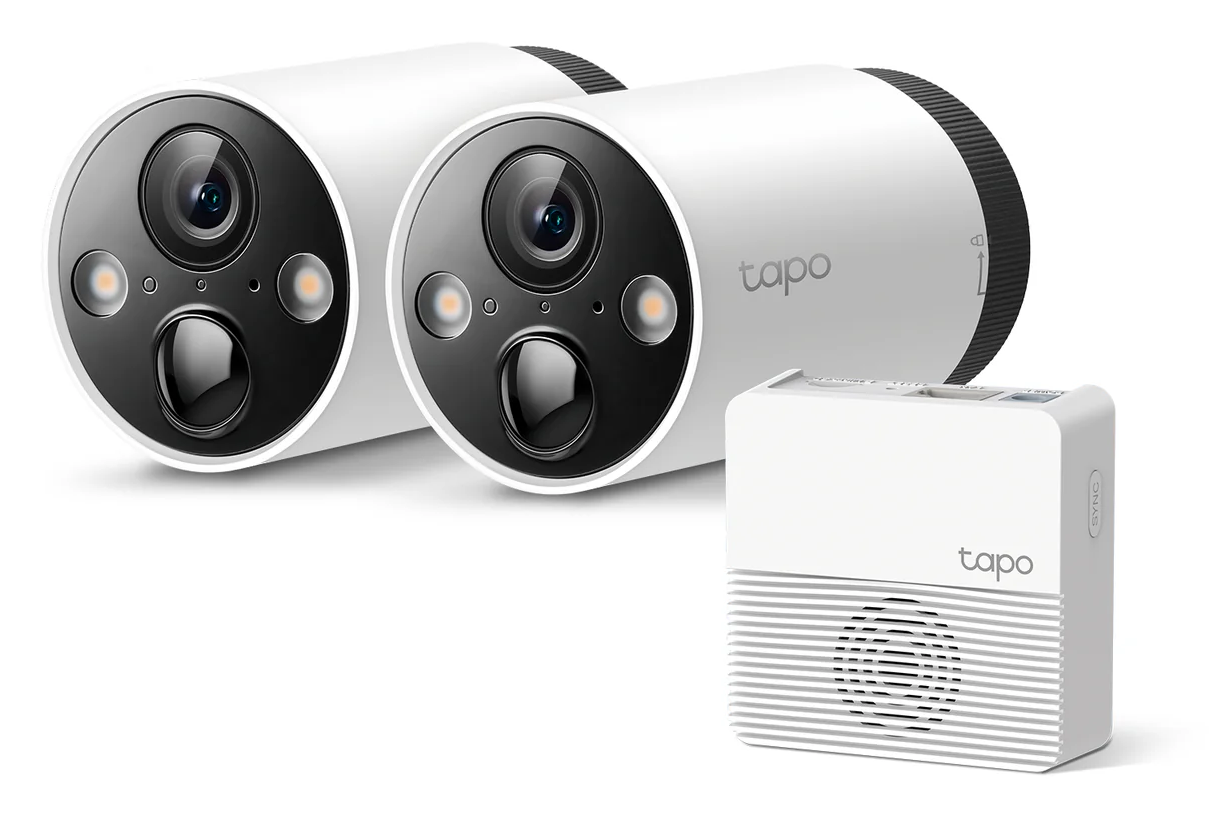 TP-Link Tapo C420S2 (2K QHD, Battery + Hub): processes person and vehicle detection through the included hub instead of relying entirely on cloud processing, which tends to make alerts faster and more consistent. Local storage through the hub also means recordings don't depend on a subscription.
View the Tapo C420S2 →
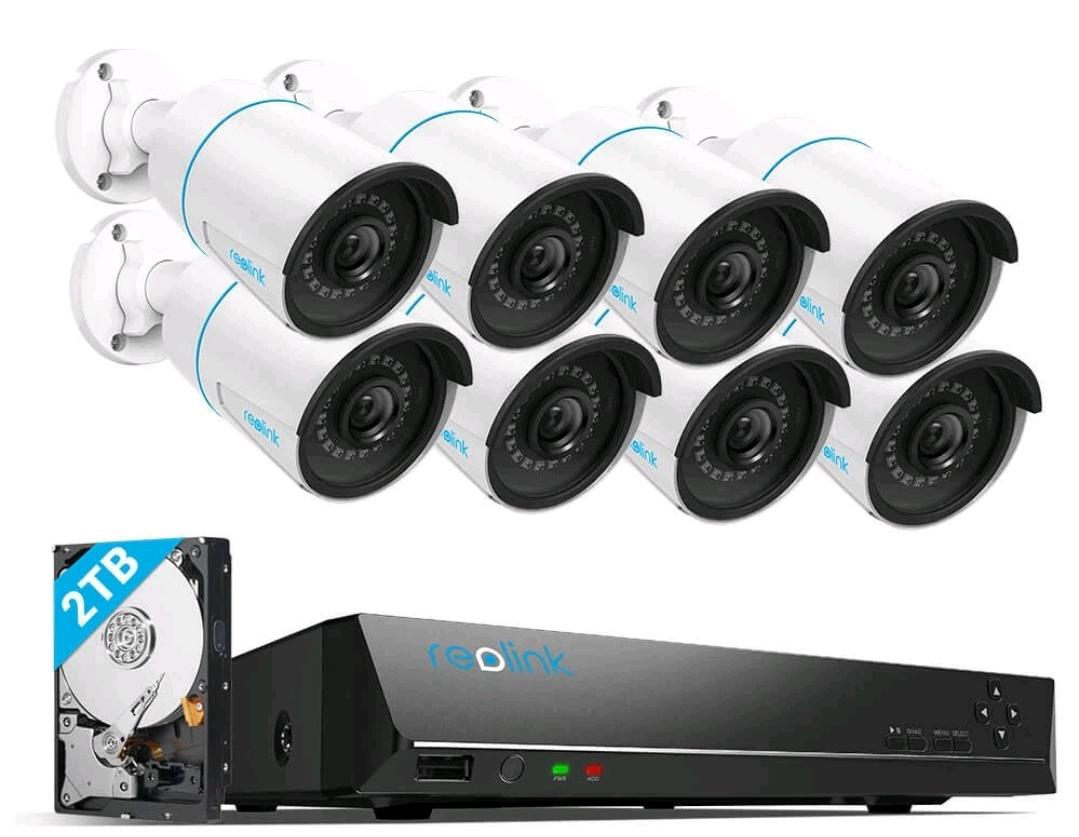 Reolink DIY 5MP Bullet PoE System, 8CH NVR + 2TB HDD (Certified Refurbished): if Wi-Fi reliability is the real problem behind your missed events, this removes it entirely. Continuous 24/7 recording to local storage, not motion-triggered clips that can be delayed by a weak signal.
View this listing on eBay →
When a security camera misses motion events, the camera is not always the real problem. Many missed events are caused by the way the camera is installed, aimed, configured, powered, connected, and tested.
At HB Tech Pros, the first step is not always buying a more expensive camera. The first step is checking placement, lighting, zones, sensitivity, AI settings, network strength, and recording configuration. Even a strong AI security camera can perform poorly if it is installed in the wrong place.
The goal is not to record every movement. The goal is to reliably capture the events that matter.
FAQ
Why is my security camera not detecting motion?
Common causes include motion detection being disabled, sensitivity set too low, poor camera placement, blocked view, weak lighting, outdated firmware, incorrect activity zones, or network problems.
Why does my camera record trees but miss people?
The camera may be focused on background movement instead of the real approach path. Activity zones, camera angle, and sensitivity should be adjusted.
Should motion sensitivity be high or low?
It should be balanced. Too low can miss events. Too high can create false alerts. Adjust one step at a time and test with real movement.
Can AI detection miss people?
Yes. AI detection can miss people if the camera is too far away, mounted too high, poorly lit, blocked, or configured incorrectly.
Does Wi-Fi affect motion alerts?
Yes. Weak Wi-Fi can cause delayed notifications, missing clips, incomplete recordings, and slow live viewing.
Is a wired PoE camera better for motion recording?
A wired PoE camera can be more reliable for important locations because power and network are carried through Ethernet, but proper placement and settings still matter.