What Is AI Detection? Why Modern Security Cameras Send Better Alerts
What Is AI Detection?
AI detection is a camera feature that helps a security camera understand what caused movement in the video. A basic camera may only say "motion detected." A camera with AI detection may try to classify the event as a person, vehicle, animal, package, or another object type. This makes the alert more useful because the camera is not only reacting to movement. It is trying to understand the scene.
Why AI Detection Matters
False alerts are one of the biggest problems with security cameras. A camera can send alerts because of trees, shadows, rain, snow, headlights, insects, or pets. After too many false alerts, many people stop checking notifications. AI detection helps reduce unnecessary alerts by focusing on events that are more likely to matter.
How Basic Motion Detection Works
Basic motion detection usually looks for changes in the video image. If enough pixels change between frames, the camera records an event or sends an alert. The problem is simple: the camera does not know what moved. A person, a tree branch, a passing car, or a shadow can all trigger the same type of alert.
How AI Detection Works
AI detection uses software to analyze shapes, movement patterns, and image details. The camera compares what it sees with trained detection models. If the camera sees a human-shaped object, it may send a person alert. If the camera sees a car-shaped object, it may send a vehicle alert. The goal is to make alerts more specific and more useful.
| Feature | Basic Motion Detection | AI Detection |
|---|---|---|
| Main job | Detects movement | Tries to identify what moved |
| Alert type | General motion alert | Person, vehicle, animal, or package alert |
| False alerts | Usually more common | Often reduced when configured correctly |
| Best for | Simple monitoring | Modern home and small business security |
| Still needs good placement | Yes | Yes |
| Main limitation | Cannot understand what caused movement | Can still make mistakes |
Person Detection
Person detection is usually the most useful AI feature for homeowners. It helps the camera identify when a human shape appears in the monitored area. This is useful for front doors, driveways, walkways, side gates, and backyard entrances.
Vehicle Detection
Vehicle detection helps identify cars, trucks, SUVs, and sometimes motorcycles. It is useful for driveways, parking areas, garages, small businesses, and properties where vehicle movement matters.
Animal Detection
Animal detection helps separate pets or wildlife from people and vehicles. This can be helpful for backyards, rural properties, farms, or homes where pets often move through the camera view.
Package Detection
Package detection is common on some video doorbells and front-door cameras. It can help detect when a parcel is left near the door. This feature can be useful, but it still depends on camera angle, lighting, distance, and whether the package is visible to the camera.
| Detection Type | Best For | Watch For |
|---|---|---|
| Person detection | Doors, gates, walkways, driveways | Poor lighting and high mounting angles can reduce accuracy. |
| Vehicle detection | Driveways, parking areas, businesses | Motorcycles, bicycles, or partial vehicle views may be harder to classify. |
| Animal detection | Backyards, rural areas, pet areas | Small animals may still trigger imperfect alerts. |
| Package detection | Front doors and porches | Camera angle must show the package clearly. |
| Activity zones | Excluding busy roads, trees, sidewalks | Zone boundaries must be tested and adjusted. |
AI Detection vs Motion Detection
Motion detection tells the camera that something moved. AI detection tries to tell the camera what moved. This is the main difference. Motion detection is simpler, but it can create more false alerts. AI detection can reduce alert noise, but it still needs correct setup and good camera placement.
Is AI Detection Perfect?
No. AI detection is helpful, but it is not perfect. It can still miss events or classify objects incorrectly. Poor lighting, wrong camera angle, long distance, low image quality, and blocked views can reduce accuracy. A camera with AI detection can still perform badly if it is installed in the wrong place.
What Affects AI Detection Accuracy?
AI detection works best when the camera has a clear view of the subject. Placement, lighting, viewing angle, distance, video quality, firmware, Wi-Fi signal, and storage method can all affect performance. A clear image gives the AI system more information to work with.
When AI Detection Is Worth It
AI detection is usually worth it when you receive too many false alerts, monitor a driveway, monitor a front door, use multiple cameras, travel often, or want alerts for people and vehicles instead of every movement. It is especially useful when paired with good camera placement and proper detection zones.
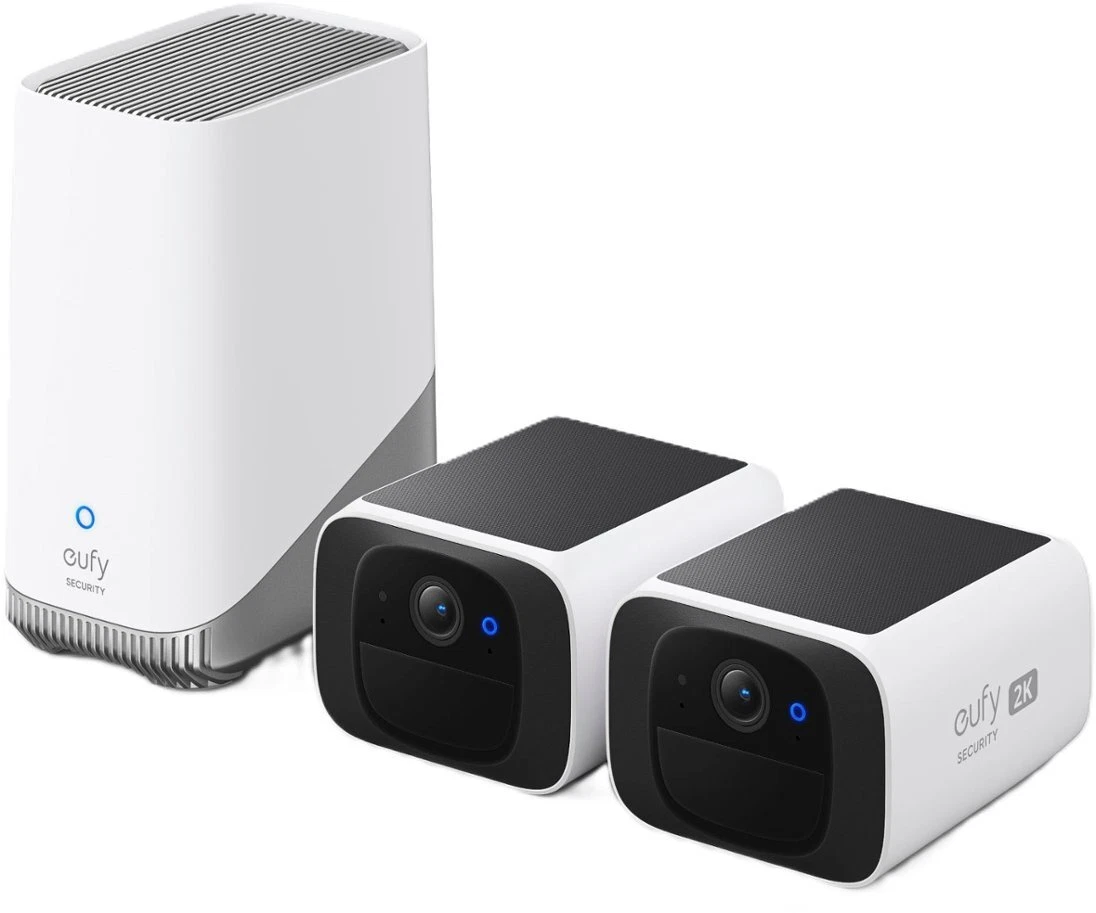 eufy SoloCam S220, TP-Link Tapo C420S2, and SwitchBot Video Doorbell all include person, vehicle, or package detection rather than relying on raw pixel change alone. Check whether AI features require a subscription before buying, since this varies by brand and model. Product availability, pricing, features, and subscriptions may vary by region.
See the picks →
When Basic Motion Detection May Be Enough
Basic motion detection may be enough for simple areas with little background movement. It can also work for users who mainly record locally and review footage manually. If the area is quiet and the camera is well positioned, basic motion detection can still be useful.
Common Mistakes
A common mistake is thinking AI detection will fix every problem. It will not. If the camera faces a busy road, moving trees, reflective surfaces, or poor lighting, AI detection may still generate bad alerts. Another mistake is buying based only on "AI" in the product name without checking which AI features are included and whether they require a subscription.
How to Improve AI Detection
Use activity zones, keep the camera angle focused on the area that matters, avoid pointing the camera toward busy streets, improve lighting when needed, keep firmware updated, and test the camera by walking through the real approach path. If the camera supports person or vehicle-only alerts, use those settings instead of all-motion alerts.
AI detection is one of the most useful improvements in modern security cameras. It can reduce false alerts and make notifications easier to understand. However, AI detection is not a replacement for good installation. At HB Tech Pros, we would not choose a camera only because it says "AI." We would look at placement, detection quality, storage, power, night performance, and how the camera behaves in the real location where it will be used. The goal is not more alerts. The goal is better alerts.
Quick Field Checklist
- Set the camera to person-only or vehicle-only alerts when the feature is available.
- Use activity zones to exclude streets, sidewalks, moving trees, and neighbor areas.
- Test detection during the day and at night.
- Walk through the real approach path and confirm that alerts arrive correctly.
- Check if AI features require a subscription before buying the camera.
- Keep camera firmware updated because detection performance may improve over time.
- Do not rely only on AI detection. Verify that the camera records useful footage.
FAQ
Is AI detection the same as motion detection?
No. Motion detection identifies movement. AI detection tries to identify what caused the movement, such as a person, vehicle, animal, or package.
Does AI detection stop all false alerts?
No. AI detection can reduce false alerts, but it does not remove all of them. Camera placement, lighting, distance, and settings still matter.
Do I need AI detection for a home security camera?
Not always. AI detection is useful if you want fewer alerts and more specific notifications. A basic camera can still work in quiet areas with good placement.
Is person detection useful?
Yes. Person detection is one of the most practical AI features because many homeowners care most about people approaching doors, gates, driveways, and walkways.
Does AI detection work at night?
It can work at night, but performance depends on image clarity. Good night vision, proper lighting, and correct camera angle can improve results.
Does AI detection require a subscription?
It depends on the camera brand and model. Some cameras include AI detection with no recurring cost, while others require a subscription for certain smart alerts.
Can AI detection identify a specific person?
Most basic AI security camera detection identifies object categories such as person or vehicle. Specific identity recognition is a separate feature and may not be included. Always check the manufacturer specifications.